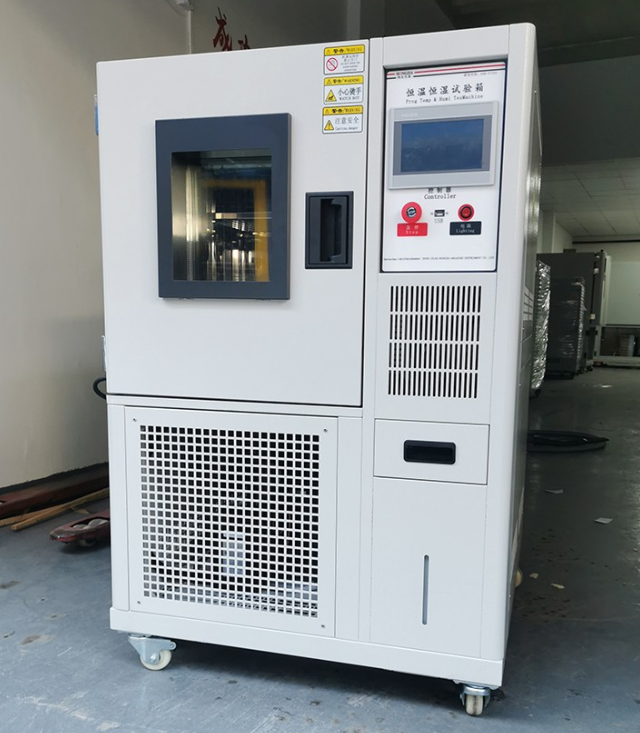
Step 1: Preparation
Firstly, put the samples to be tested on the sample rack of the test chamber, and then close the door. Then add water to the water tank inside the test chamber, this step is the key to keep constant humidity Oh!
Step 2: Power and Setup
Next, plug in the power supply, and close the circuit breaker, you can see the red indicator light. At this time, gently press the ‘SET’ button, and you can start to adjust the temperature. Use the ‘︿’, ‘﹀’ and ‘△’ keys to adjust the temperature to your desired temperature, then press the ‘SET’ key again to confirm, and then press the ‘SET’ key to confirm. ‘button again to confirm, and then press the green button.
Step 3: Timing Setting
If you need to time test, you can set the time first, and then turn on the ‘time’ switch. Adjust the buttons on the timer panel, for example, ‘20H30’ means 2030 hours, and ‘20H/m30’ means 20 hours and 30 minutes.
Step 4: Low Temperature Test
If it is a low-temperature test, set the temperature first, and then turn on the ‘cooling’ switch. Then the sample can be tested under low temperature environment.
Step 5: High temperature and high humidity test
Turn on the power switch of the constant temperature and humidity test chamber. If you want to test high temperature and high humidity environment, first set the high temperature on the temperature display instrument, and then turn on the ‘hot and humid’ switch. Then set the high humidity on the ‘humidity display meter’.
Step 6: Low temperature and low humidity test
The low temperature and low humidity test are to set the low temperature (lower than the ambient temperature) on the ‘temperature display meter’, then set the low humidity on the ‘humidity meter’, and finally open the ‘dehumidification’ switch. Finally, switch on the ‘Dehumidify’ switch.
Step 7: Precautions
When installing the machine, be careful not to let dust and other debris enter the inside of the equipment, or it may affect its normal operation. The wiring of the equipment must be correct and grounded, otherwise there may be a risk of electric shock.
Step 8: Maintenance
Please check the terminal screws and fixing brackets regularly for looseness and never operate the machine in a loose condition to avoid risks. During the operation of the instrument, make sure that the power inlet terminal cover is properly installed on the terminal board to ensure safety against electric shock. At the same time, before making any modifications to settings, adjusting signal output, starting or stopping, etc., be sure to confirm that all safety measures are in place to ensure the safety of the operation.
Step 9: Cleaning and Maintenance
Please use a dry cloth to clean the instrument and avoid using alcohol, petrol, and other organic solvents to prevent damage. If the instrument is accidentally flooded, please stop using it immediately to avoid the potential danger of electric leakage, electric shock, and even fire.
Step 10: Regular Maintenance
In order to ensure the safe use of the instrument, please realize that its internal parts have a certain service life, and carry out regular maintenance and repair work.