

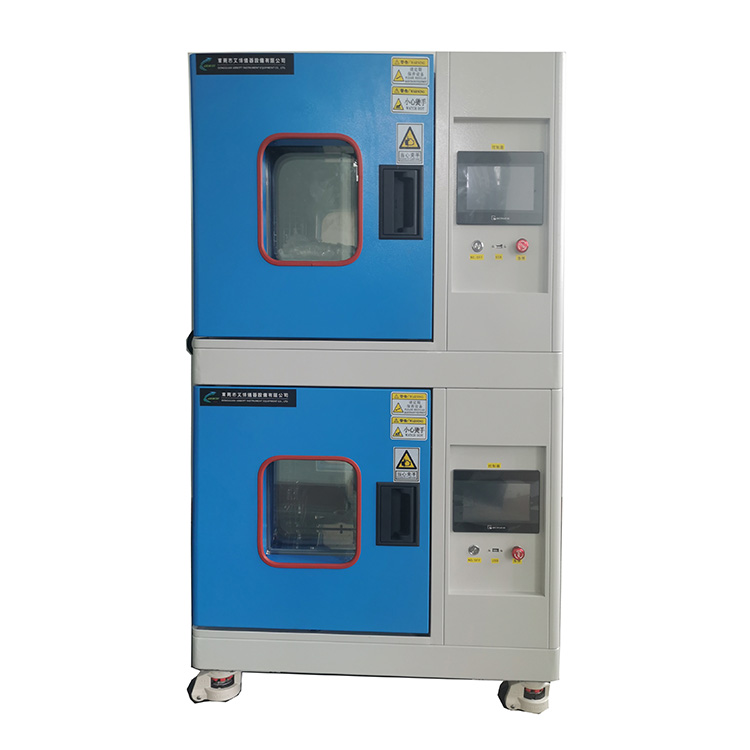
What is the temperature humidity test chamber?
A Temperature and Humidity Test Chamber is a device used to test the performance of materials, products, or equipment under varying temperature and humidity conditions. It simulates harsh high, low, or humid environments that might be encountered during transport, storage, or use of electronic instruments, new materials, electrical equipment, vehicles, metals, electronic products, and aerospace materials.
Main Functions of a Temperature and Humidity Test Chamber:
● Temperature Control: Simulates high or low temperatures to test product performance under different temperature conditions.
● Humidity Control: Adjusts humidity levels from dry to high humidity to test product performance in various humidity conditions.
● Environmental Simulation: Combines temperature and humidity changes to simulate real-world conditions for products.
A Temperature and Humidity Test Chamber is a device used to test the performance of materials, products, or equipment under varying temperature and humidity conditions. It simulates harsh high, low, or humid environments that might be encountered during transport, storage, or use of electronic instruments, new materials, electrical equipment, vehicles, metals, electronic products, and aerospace materials.
Main Functions of a Temperature and Humidity Test Chamber:
● Temperature Control: Simulates high or low temperatures to test product performance under different temperature conditions.
● Humidity Control: Adjusts humidity levels from dry to high humidity to test product performance in various humidity conditions.
● Environmental Simulation: Combines temperature and humidity changes to simulate real-world conditions for products.
What is the temperature humidity test?
Temperature and Humidity Testing in a test chamber involves comprehensive testing of samples under different temperature and humidity conditions.
● Temperature Testing: Sets different temperature ranges in the chamber to test samples’ performance in high, low, or cyclic temperatures. For example, assessing electronic products’ stability at high temperatures or materials’ toughness at low temperatures.
● Humidity Testing: Adjusts the chamber’s humidity to test samples’ performance under various humidity conditions. For example, evaluating material corrosion in high humidity or electronic device functionality in moist environments.
● Environmental Simulation: Simulates real-life conditions by combining temperature and humidity changes to reveal potential issues such as material aging or electronic component failure due to temperature and humidity variations.
Temperature and Humidity Testing in a test chamber involves comprehensive testing of samples under different temperature and humidity conditions.
● Temperature Testing: Sets different temperature ranges in the chamber to test samples’ performance in high, low, or cyclic temperatures. For example, assessing electronic products’ stability at high temperatures or materials’ toughness at low temperatures.
● Humidity Testing: Adjusts the chamber’s humidity to test samples’ performance under various humidity conditions. For example, evaluating material corrosion in high humidity or electronic device functionality in moist environments.
● Environmental Simulation: Simulates real-life conditions by combining temperature and humidity changes to reveal potential issues such as material aging or electronic component failure due to temperature and humidity variations.
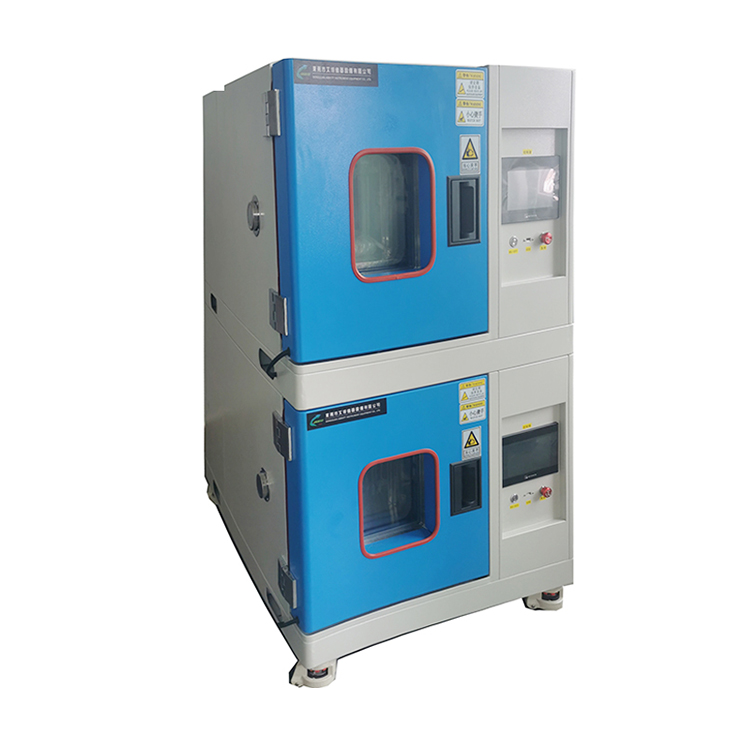
1. Preparation:
▶ Read the user manual to understand the device’s functions and operations.
▶ Check the device to ensure it is in proper working condition, including power connection, cooling, and heating systems.
2. Setting Temperature:
▶ Turn on the chamber and allow it to self-check.
▶ Access the temperature setting mode via the control panel.
▶ Set the desired temperature using the control panel’s buttons or touchscreen and confirm the setting.
▶ Monitor the temperature display to ensure it reaches the set value. Wait until it stabilizes before further actions.
3. Setting Humidity:
▶ Access the humidity setting mode similarly to the temperature setting.
▶ Set the desired humidity level and confirm the setting.
▶ Monitor the humidity display to ensure it reaches the set value and stabilizes before starting the test.
4. Adjustment and Calibration:
▶ If there are discrepancies between actual and set values, calibrate the device according to the manual.
▶ Adjust fan speed or airflow as needed for uniform temperature and humidity distribution.
5. Operation and Monitoring:
▶ Continuously monitor the device’s display and record data during the test to ensure stability.
▶ Use data recording features if available for later analysis.
6. Completion:
▶ Turn off the device following the manual’s instructions and cut off the power.
▶ Clean and maintain the device regularly for stable long-term operation.
With over a decade of dedicated research and technical refinement, we specialize in manufacturing and selling: Constant Temperature Humidity Test Chamber, High Low-Temperature Test Chamber, Thermal Shock Test Chamber, and Walk-in Test Chamber. We primarily develop and produce reliability test equipment and quality inspection devices for mechanical properties, weather resistance, and lifespan testing of various materials. If you are interested in our products, please feel free to contact us.